
Knowledge Base
Share Profiles
Session Splitter Profiles
How to share profiles
✦ Open Session Splitter and sign in with your username and password.
✦ Upload the profile to cloud.
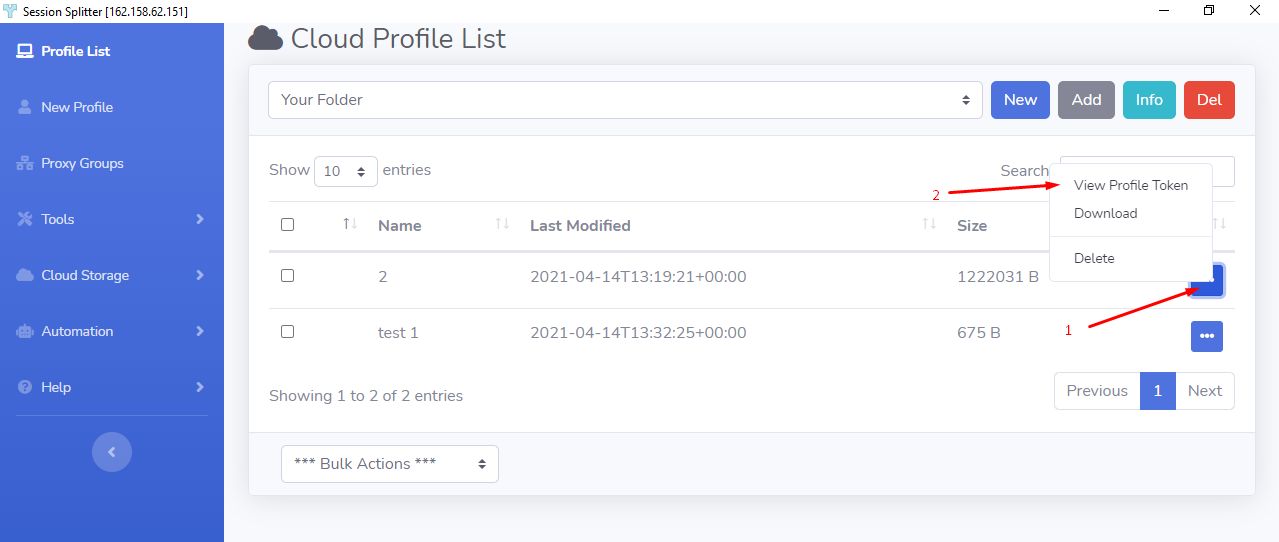
✦ Click on ‘Cloud Storage’ in the left blue section. And click on ‘List profiles’.
✦ Now Click on the three dots menu and click ‘View Profile Token’
✦ Now a pop up will open containing a Token, click on the ‘Copy to Clipboard’.
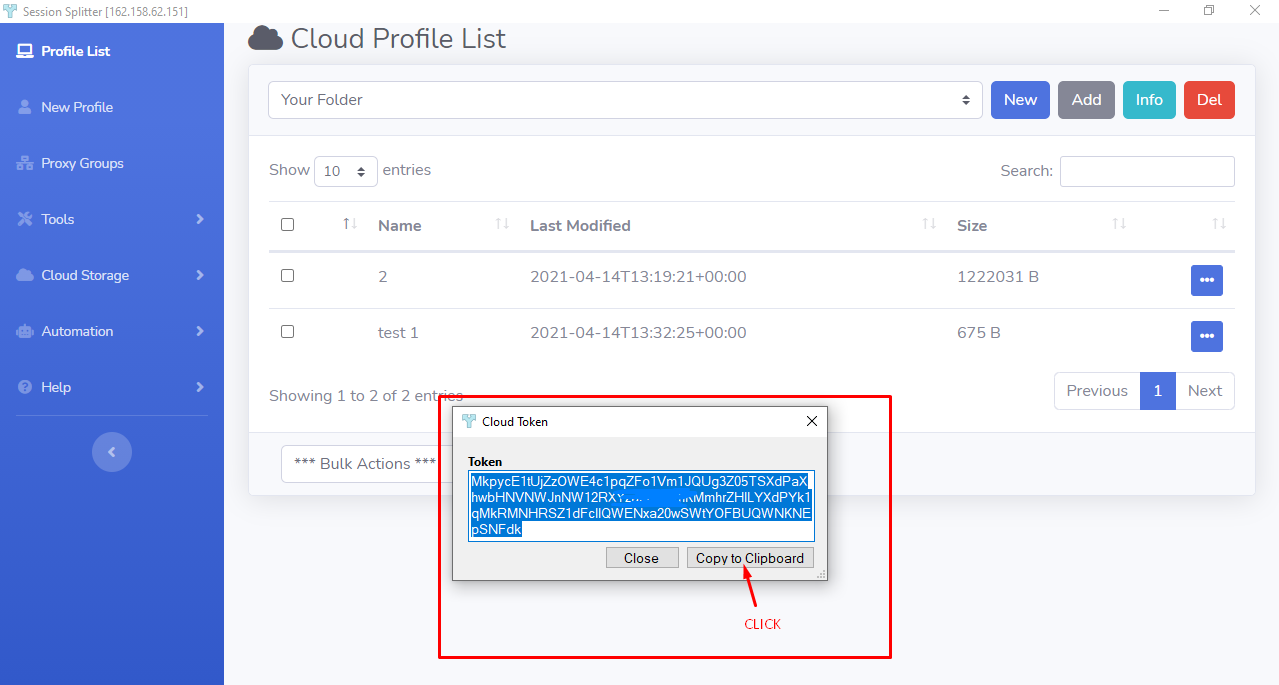
The cloud token is copied to clip board. Share this ‘Cloud Token’ with a person you want. He/she then be able to download the profile in his system with Session Splitter installed.