
Knowledge Base
Creating Profile
Session Splitter Profiles
✦ Creating profiles in Session Splitter is very easy.
✦ Open Session Splitter and log in with the username and password.
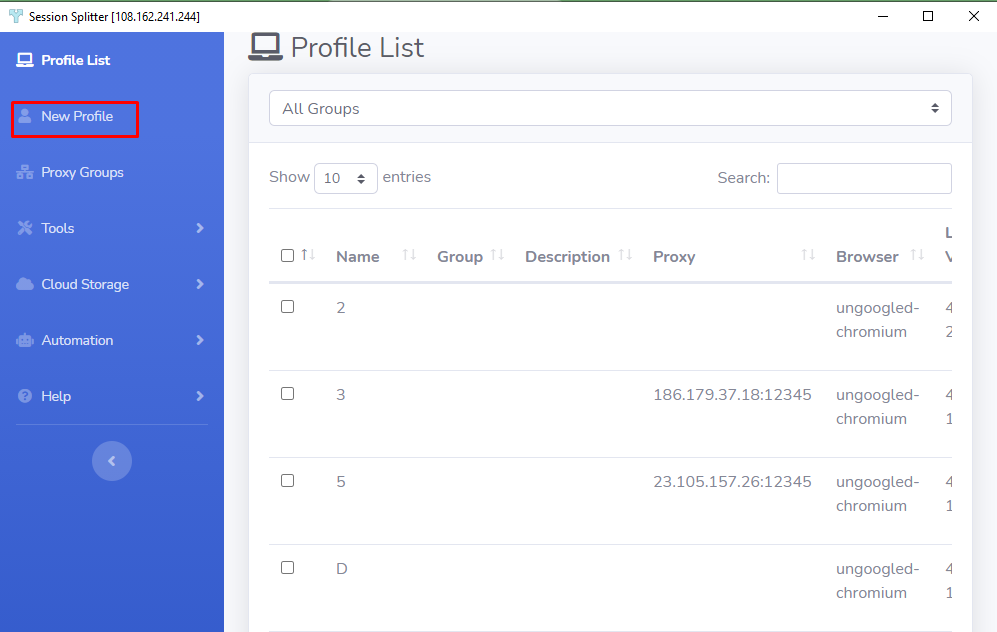
✦ Click on ‘New Profile’ in the left blue colored bar.
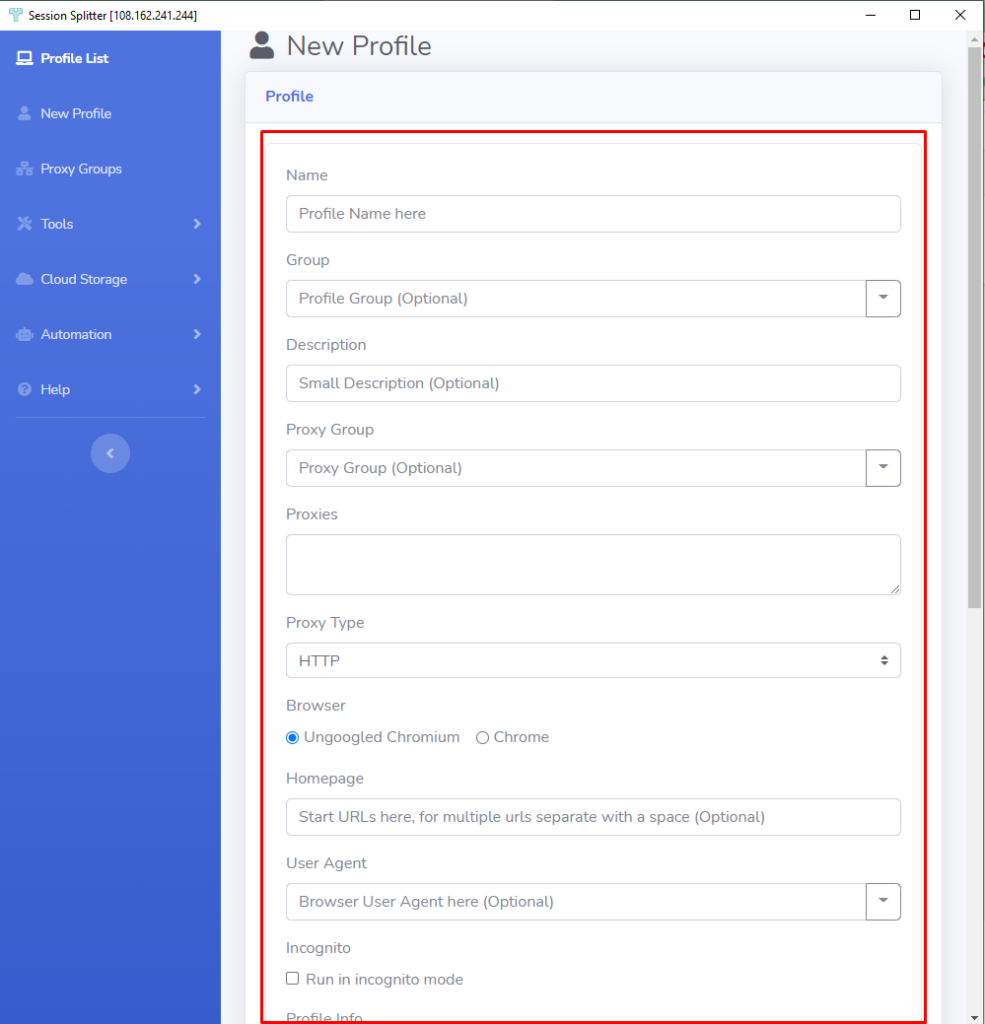
✦ Enter the name of the project or client in the ‘Name’ field.
✦ If you want to put this profile into a group, then enter the group name for a new group or Select the group from right most dropdown icon.
✦ You can enter the description for the profile in the ‘Description’ field.
✦ Select a proxy group if you want to use a group of proxies for the profile.
✦ If you want to use a single proxy, enter the proxy in Proxies field. Know more about proxies here.
✦ Select your browser ‘Ungoogled Chromium‘ or ‘Chrome’ as Browser.
✦ Setting homepage is optional.
✦ Select a user agent if you don’t want to use default user agent. If you are good with default user agent, just skip this.
✦ There is an option to run the browser as incognito mode, if you want.